

The FAFSA Submission Summary is an official electronic document from the U.S. Department of Education that summarizes the information you provided on your Free Application for Federal Student Aid. An applicant uses this document to review their calculated eligibility for federal aid, check for processing errors, and initiate corrections or add new colleges online.
This document matters most to families who have already submitted their FAFSA and are waiting for financial aid offers from college financial aid offices. A common misunderstanding is that this summary is an actual financial aid offer. It is not. Instead, it displays your Student Aid Index (SAI), which colleges use to calculate your need-based aid. If the summary contains a blank SAI or displays an action icon, a student must log in to studentaid.gov to correct the errors before colleges can process their financial aid package.
Key takeaways
- The FAFSA Submission Summary displays your Student Aid Index (SAI) but is not an actual financial aid offer.
- Correct errors or add up to 20 colleges online by logging into your Federal Student Aid dashboard at studentaid.gov.
- A missing signature or rejected federal tax consent box will prevent your FAFSA from being processed for federal aid.
- The national median net price after grants at four-year colleges is $19,835 according to CollegesRef data.
- The Federal Student Aid office processes online corrections within one to three days of submission.
Understanding Your FAFSA Submission Summary
The FAFSA Submission Summary replaces the older Student Aid Report. It is an official electronic document generated by the U.S. Department of Education after a student submits the Free Application for Federal Student Aid (FAFSA). To access this document, log in to the studentaid.gov dashboard using your Federal Student Aid (FSA) ID, navigate to the "My Activity" section, and select your processed application. The summary does not state your final financial aid package. Instead, it compiles the data used by college financial aid offices to calculate your eligibility for federal, state, and institutional resources.
Locating Your Student Aid Index
Your Student Aid Index (SAI) appears near the top of the first page of the summary. This number is an index value determined by the federal need analysis formula, replacing the former Student Aid Index (SAI) (Student Aid Index (SAI)). The SAI can range from a minimum of -1500 up to a maximum value based on family income and assets. Financial aid offices subtract your SAI from their total cost of attendance to determine your individual financial need. If your summary displays an "Action Required" message instead of a numerical SAI, your application contains incomplete sections, missing signatures, or tax data mismatches that you must resolve before colleges can process your aid.
Checking Your Federal Pell Grant Eligibility
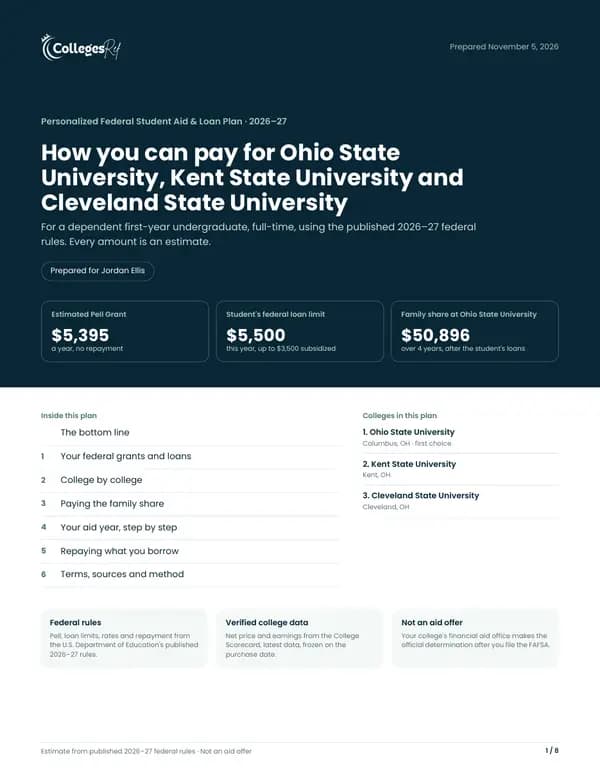
Directly below the SAI, the summary displays your estimated eligibility for the Federal Pell Grant. For the 2026-27 award year, the maximum Federal Pell Grant is $7,395, as documented by studentaid.gov. This federal grant is reserved for undergraduate students with exceptional financial need and does not require repayment. The summary will indicate whether you qualify for the maximum award, a minimum award, or a specific calculated amount based on your SAI and enrollment status.
If you want to verify these federal figures before receiving your official award letters, you can use the CollegesRef Pell Grant Estimator to calculate your potential federal grant amount based on your financial inputs. This tool provides a quick estimate of federal eligibility but does not calculate state or institutional grants.
Identifying Verification Flags and Action Items
Review the "FAFSA Submission Summary" tab for an asterisk next to your SAI. An asterisk indicates that the Department of Education has selected your application for a process called verification. If you see this flag, you must submit specific tax transcripts, W-2 forms, or signed statements directly to your college financial aid office.
You must also check the "Eligibility Information" section for flags regarding consent. If any contributor did not provide consent to retrieve federal tax information directly from the IRS, your FAFSA will not be fully processed. You can read more about resolving these consent issues and managing other federal forms in the Financial Aid section of CollegesRef. Address these flags immediately, as colleges cannot disburse federal loans or grants until all verification requirements are met.
How to Correct FAFSA Information Online
Navigating to the Correction Tool on Studentaid.gov
To fix an error on your submitted form, log in to the Federal Student Aid dashboard at studentaid.gov using your FSA ID. Navigate to your account dashboard and locate the "My Activity" section, which displays your processed applications. Select your active FAFSA form to open the status page, then click the "Make Corrections" button. This action creates a new transaction transaction history on your account.
If your original submission is still processing, this button will be inactive. You must wait until the status changes to "Processed" before you can modify any fields. Making corrections online is the fastest way to resolve issues, preventing the common FAFSA mistakes that delay aid and stall your financial aid offers.
Updating Financial Data and Consent Status
Once inside the correction interface, you can update your financial details. If you or your contributors did not provide consent to retrieve federal tax information from the IRS on the initial form, you must correct this status. Without consent, a student is ineligible for federal student aid. Navigate to the financial section for the specific contributor and check the consent box to authorize the direct data transfer.
For manual financial entries, such as untaxed income or asset values, enter the corrected figures directly into the corresponding fields. If you must report assets, remember that the FAFSA asks for the value of your assets as of the day you originally signed the form. You cannot update asset values to reflect a lower balance that occurred after your initial filing date.
If your family experienced a significant drop in income since the required tax year, do not change the tax figures on the form. Instead, submit the FAFSA with the historical tax data and contact each college financial aid office directly to request a professional judgment review.
Fixing Personal Information and Dependency Status
Errors in personal details can prevent federal systems from matching your record with your college. You can correct your Social Security number, date of birth, and email address within the student demographics section of the online form. If you mistakenly answered the dependency status questions, you can change those responses to update your status.
For example, if you incorrectly marked that you are an independent student, correcting those answers will prompt the system to require parental information. If your school requires additional institutional forms, you may also need to review the differences between the CSS Profile vs FAFSA: What Each Form Asks and Who Needs Both to ensure your personal data matches exactly across both platforms.
After saving your changes, navigate to the "Review and Sign" page. You must sign the correction using your FSA ID, and any affected contributors must also log in to sign their respective sections before the system will process the updates.
Managing Contributors and Required Signatures
When a Parent or Spouse Must Sign Your Correction
Any change made to a submitted FAFSA often requires a new round of electronic signatures. If a student corrects an entry in the parent financial section, the parent must log in to studentaid.gov with their own FSA ID to sign the correction. The system identifies who must sign based on the specific fields altered during the session. For dependent students, this means at least one custodial parent must sign the corrected form. If the student is married and corrected joint financial data, the spouse must log in to sign. To understand who qualifies as a contributor for your specific household structure, review the guide on FAFSA contributors and consent. When a correction is saved, the system generates an email notification to the required contributor. The correction remains in a "Draft" or "Pending Signatures" status and will not be processed by the Federal Student Aid office until all required parties submit their electronic signatures.
Resolving Missing Consent and Signature Issues
A common reason a FAFSA Submission Summary shows an incomplete status is a missing signature or a rejected consent box for federal tax information transfer. If a contributor did not check the consent box on the original application, the student will receive an index calculation of "Incomplete" and will not qualify for federal aid. To resolve this issue, the contributor must log in to studentaid.gov, navigate to their dashboard, select the active FAFSA transaction, and click "Provide Consent". If the contributor lacks a Social Security number, they must still create an FSA ID and complete the identity verification process to sign. In cases where the online signature system fails repeatedly, families can print the signature page from the PDF version of the FAFSA, sign it physically, and mail it to the address listed on the form. However, paper processing can take several weeks, so families should first attempt to resolve the digital block by clearing browser cookies or using a different web browser.
What Happens If a Contributor Refuses to Sign
If a parent or spouse refuses to provide consent or sign the FAFSA correction, the application cannot be processed for federal grants or subsidized loans. The student will not receive a Student Aid Index (SAI). In this scenario, the student can indicate on the FAFSA that they have unusual circumstances or that they want to apply only for Direct Unsubsidized Loans. According to studentaid.gov, dependent students whose parents refuse to provide information can qualify for unsubsidized loans up to the annual limit of $5,500 for first-year students. However, this option does not grant access to Pell Grants or work-study funds. Before choosing this path, the student should contact the financial aid office at their target college to ask for a "Dependency Override" review, which requires submitting third-party documentation of parental abandonment or abuse. If forced to rely solely on unsubsidized debt, families should evaluate long-term borrowing limits by reading about How Much Student Debt Is Too Much? Debt-to-Earnings Benchmarks From Federal Data.
How to Add a School to FAFSA After Filing
Managing the School Limit and Swapping Colleges
The online FAFSA allows an applicant to list up to 20 colleges at one time. If a student applies to more than 20 institutions, they must wait until the federal processor delivers the initial FAFSA Submission Summary before making changes. To send financial data to a 21st college, the applicant must log in to studentaid.gov and replace an existing school with the new one.
Replacing a college on the list does not delete the student's financial information from the database of the removed institution. The original college retains the data it already downloaded, but it will not receive any subsequent updates or corrections. A student should prioritize keeping active target schools on the list, especially when waiting for a revised financial aid package. Families can find the unique six-digit Federal School Code for any institution using the search tool on the federal application portal, or by checking the school's official financial aid webpage.
Updating Your School List on Studentaid.gov
To add a new institution, the applicant must log in to the studentaid.gov dashboard using their FSA ID. Under the "My Activity" section, locate the processed FAFSA transaction and select "Make Corrections" to open the active form. Navigate directly to the "Selected Colleges" section of the application. Here, the user can search for colleges by state and city, or input the Federal School Code directly into the search field.
If the list of 20 colleges is full, the applicant must click the trash can icon next to an institution they no longer wish to receive updates. Once a slot is open, click "Add" next to the newly selected college. The student must then navigate to the "Sign and Submit" page to finalize the change. Every contributor does not need to re-sign the form just to update the school list, but the student must sign the submission using their own FSA ID. The federal processor typically delivers the updated transaction to the newly added colleges within three to five business days.
Ensuring State Aid Agencies Receive Your New School List
Adding a college on the federal portal does not guarantee that state grant agencies will automatically receive the updated list. Many state programs award aid based on the order in which colleges are listed on the FAFSA, or they require the first school listed to be an in-state institution. For example, some state agencies only pull data for the college listed in the very first slot on the form.
When swapping colleges, a student should contact their state higher education agency to confirm how the change affects state-specific grants. It is critical to review the state-by-state rules on sticker price vs net price by state where grants cut college costs most to understand how state residency impacts final costs. If a student is applying for state-specific aid programs, they may need to log in to their state's individual student aid portal to manually update their school of choice. This step prevents the loss of state-funded grants that do not communicate directly with the federal database. For more details on how these submission rules have evolved, read about what changed on the 2027–28 FAFSA to stay current on federal processing updates.
Comparing College Costs and Net Price Estimates
How Colleges Use Your Summary to Build Aid Packages
Colleges retrieve your FAFSA data directly from the federal processor to calculate your financial need. The financial aid office subtracts your Student Aid Index (SAI) from their total cost of attendance to determine your need-based eligibility. They then draft an award letter combining federal grants, work-study, and institutional scholarships. If you do not understand the terminology on these offers, you can find financial aid terms explained to help decode the specific lines.
Keep in mind that colleges have different deadlines and institutional funding levels. A student with an SAI of 0 might receive a full-tuition scholarship at one university but only federal loans at another. If your family financial situation has worsened since the tax year reported on your FAFSA, you must contact the financial aid office directly. Ask them for a professional judgment review, which requires submitting a formal appeal form and supporting tax documents.
Using National Net Price Benchmarks to Evaluate Offers
Comparing offers requires looking past the sticker price to find your actual out-of-pocket cost. According to CollegesRef data, the national median net price after grants at four-year colleges is $19,835. You can use the table below to see how your financial aid offers compare to national sector averages.
For example, the table below shows that public colleges have a median average net price of $10,516, while private nonprofit colleges sit at $27,122. However, some private institutions offer substantial institutional aid that brings their cost close to public options. If you want to target these schools, you can review the Most Affordable Private Colleges by Net Price (2026) to find institutions with generous funding.
Individual campus figures vary widely from these medians. For instance, CollegesRef data shows the average net price at Arizona State University Campus Immersion is $14,694, which sits slightly above the public median. When evaluating any offer, subtract all gift aid from the total cost of attendance on your letter to find your true net price.
Colleges in this article

Federal IPEDS and College Scorecard data on CollegesRef. Net price is the average paid after grants by first-time, full-time students who receive aid.
Estimating Your Federal Pell Grant Award
The FAFSA Submission Summary provides an estimate of your federal Pell Grant eligibility. For the 2026-27 award year, the maximum Federal Pell Grant is $7,395, as documented by studentaid.gov. This federal grant is reserved for undergraduate students with exceptional financial need and does not need to be repaid.
To quickly check your eligibility before your FAFSA is fully processed, you can use the CollegesRef Pell Grant Estimator (/tools/pell-grant-estimator). This free tool uses the published federal award rules to calculate a quick federal Pell Grant estimate. Knowing this estimate helps you verify that the Pell Grant amount listed on your college award letters matches your official federal eligibility. If a college lists a lower Pell Grant amount than your FAFSA Submission Summary indicates, contact their financial aid office immediately to resolve the discrepancy.
| Sector | Colleges | Median net price | Median in-state tuition | Median out-of-state tuition | Median graduation rate | Median earnings (10 yrs) |
|---|---|---|---|---|---|---|
| Public | 1,054 | $10,516 | $6,089 | $12,656 | 42% | $49,519 |
| Private nonprofit | 326 | $27,122 | $48,600 | $48,600 | 70% | $69,642 |
| Private for-profit | 62 | $27,612 | $17,370 | $17,370 | 42% | $45,510 |
Source: CollegesRef analysis of IPEDS and College Scorecard data for 1,442 published U.S. colleges with at least 2,000 students (latest data year 2025). Net price is the average paid by first-time, full-time students who receive grant aid.
At a glance
Average net price for the colleges in this list
- Western Governors University
- $12,748
- Grand Canyon University
- $21,509
Processing Timelines and Next Steps for Financial Aid
How Long FAFSA Corrections Take to Process
The Federal Student Aid office processes online FAFSA corrections within one to three days. Once processed, the system generates an updated FAFSA Submission Summary and sends an email notification to the applicant. The updated Institutional Student Information Record (ISIR) is then transmitted to the colleges listed on the form.
If a student submits a correction to add a new school, that institution typically receives the electronic record within this same three-day window. However, processing times at individual campus financial aid offices vary. During peak packaging seasons, a college may take two to three weeks to load the new ISIR into its campus database and generate a revised financial aid package.
Confirming Your Selected Colleges Received the Updates
Applicants should not assume a college has received their corrected data simply because the online status reads "Processed." The most reliable way to verify receipt is to log into the student portal of each target college and check the financial aid checklist. Look specifically for the status of the FAFSA or the "Student Aid Index" line item.
If the portal does not show the updated status within one week of federal processing, the student should contact the financial aid office directly. Ask the representative: "Have you received our transaction number [insert the transaction number from your FAFSA Submission Summary] processed on [insert date]?" This specific transaction number allows the aid officer to locate the exact file in their queue.
Verifying this information is particularly critical when applying to institutions with higher out-of-state costs. According to CollegesRef 2026–27 edition data, the national median average net price after grants at four-year colleges is $19,835, but this figure rises to a median of $27,122 at private nonprofit colleges. For families looking to minimize expenses, checking our list of Public Universities With the Lowest Out-of-State Tuition (2026) can help identify institutions where corrected aid data might yield a more affordable offer.
Handling Paper FAFSA Submission Summary Corrections
Students who filed a paper FAFSA or who received a paper FAFSA Submission Summary in the mail can make corrections on that physical document. To do this, locate the specific fields that require changes on the paper summary, write the correct information directly onto the form, and sign the signature page. If a contributor's information is being corrected, that contributor must also sign the paper document.
Once signed, mail the corrected paper summary to the address printed on the form. Paper corrections take significantly longer to process than online updates, often requiring two to three weeks from the date the federal processor receives the document. Because of this delay, families should use the online correction tool at studentaid.gov whenever possible to avoid missing institutional priority deadlines. For a detailed breakdown of financial aid terms and deadlines, consult the CollegesRef financial aid glossary.
Real-World FAFSA Correction Scenarios
A first-generation student comparing two in-state offers
This scenario uses hypothetical household figures to show how a student corrects a FAFSA error to compare two public institutions. An applicant from Arizona submitted the FAFSA but forgot to provide consent for the Internal Revenue Service to transfer federal tax information. The initial FAFSA Submission Summary arrived with a blank Student Aid Index and an action-required flag.
The student took the following steps to resolve the issue:
- The student logged into studentaid.gov and selected the active FAFSA from the dashboard.
- They navigated to the "Section 1: Student Utility" area and clicked "Provide Consent" to authorize the tax data transfer.
- The student signed the correction using their FSA ID and submitted the update.
- Three days later, the processed summary showed a Student Aid Index of 0, which qualified the student for the maximum Federal Pell Grant of $7,395 for the 2026-27 award year according to studentaid.gov.
The student used this updated index to compare financial aid offers from Arizona State University Campus Immersion and a local community college. CollegesRef data shows the average net price at Arizona State University Campus Immersion is $14,694. The student decided to enroll at the university because the maximum Pell Grant covered half of the net price, and they could cover the remaining balance by accepting a first-year Direct Subsidized Loan of $3,500 and working part-time.
An independent student correcting tax filing status
This scenario uses hypothetical household figures to show how an independent student updates their filing to secure federal loans. A 25-year-old independent applicant filed their FAFSA but accidentally selected "single" instead of "head of household" for their tax filing status, which created a discrepancy with their actual IRS tax return.
The student corrected the mistake through these steps:
- They accessed their submitted form on studentaid.gov and clicked "Make FAFSA Corrections".
- They navigated to the student financial section and changed the filing status to match their tax return.
- Because the student is independent, no parent contributor signature was required, allowing the student to sign and submit the correction immediately.
- After processing, the student received an updated FAFSA Submission Summary showing a lower Student Aid Index.
The student compared their options using CollegesRef data, which shows that the national median net price after grants at four-year colleges is $19,835. According to studentaid.gov, independent first-year students can borrow up to $9,500 in Direct Loans. The student chose to attend a public university with an average net price close to the public college median of $10,516, knowing their federal loans and a small institutional grant would cover the entire cost.
A dependent student adding a private college late
This scenario uses hypothetical household figures to show how a student adds a school to their FAFSA after the priority deadline. A student originally sent their FAFSA to four public universities but decided in March to apply to a private nonprofit college.
The student and their family completed the following steps:
- The student logged into studentaid.gov, selected their processed FAFSA, and clicked "Create New Correction".
- They went to the school selection page, searched for the private college, and added it to the list of active schools.
- Because the student did not change any financial data, no new contributor signatures were needed from their parents.
- The student submitted the correction, and the private college received the institutional student information record within seventy-two hours.
The student compared the private college to their public options. CollegesRef data shows the median average net price for private nonprofit colleges is $27,122, compared to $10,516 for public colleges. Although the private college offered a large institutional merit scholarship, the remaining net price still exceeded what the family could pay out of pocket. The student decided to attend the public university instead to avoid exceeding the first-year dependent student borrowing limit of $5,500.
You can repeat these comparison steps with your own prospective colleges by entering your details into the CollegesRef Pell Grant Estimator.